

What Each Tool Actually Does
The terms get used interchangeably online, but airfare calendars, fare alerts, and price trackers are meaningfully different tools built around different assumptions about how you search.
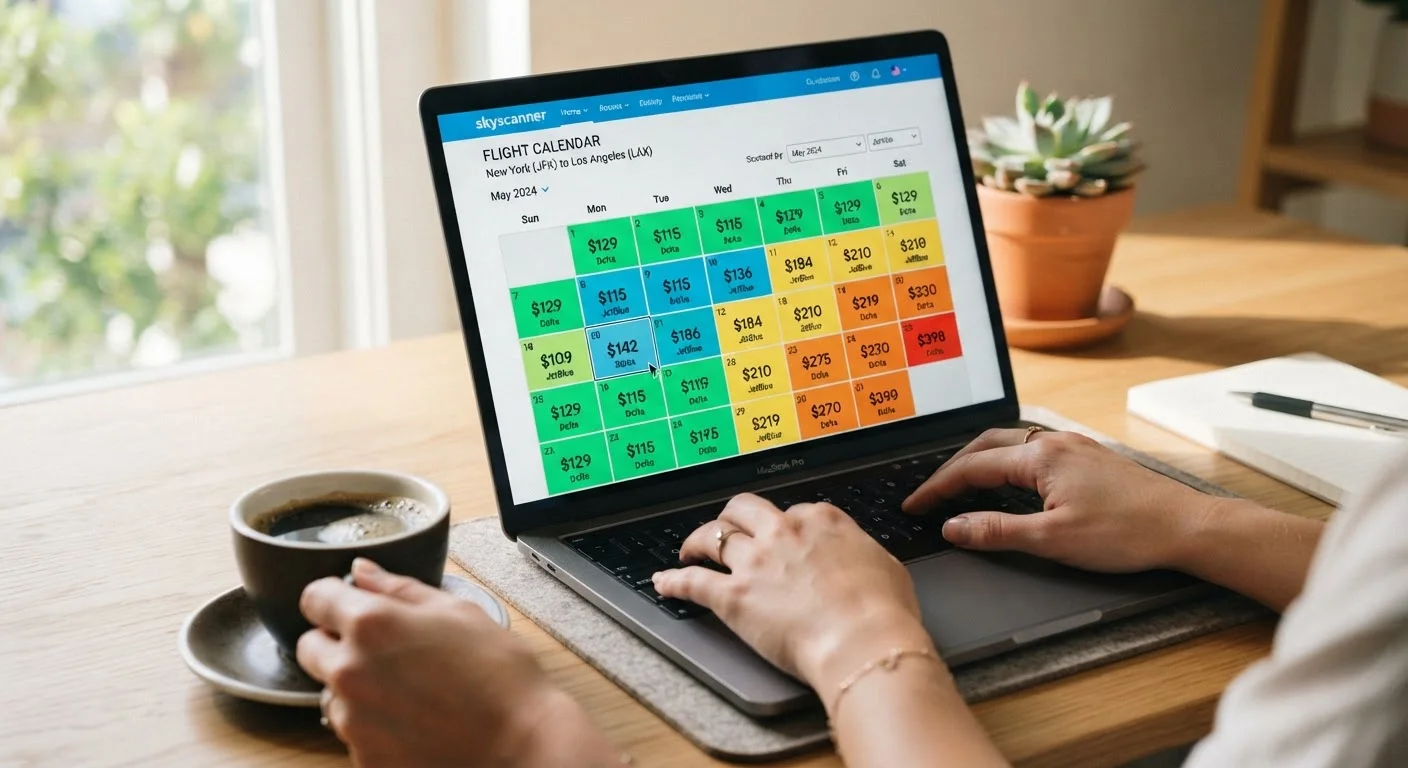
Fare calendars display a grid of prices across a range of departure (and sometimes return) dates for a given route. They answer one question: which dates on this route are cheapest right now? They're a snapshot, not a monitor. See how fare calendars can mislead as well as inform before treating any displayed price as final.
Price trackers log historical fare data for a route and compare today's price against that baseline. When a search engine labels a fare "low" or shows a price-history chart, it's drawing on this tracking logic. The tool answers: is this fare cheap relative to what this route normally costs?
Fare alerts are notifications - email, push, or in-app - triggered when a fare on a specific route crosses a threshold you set (or that the platform sets automatically). They're passive monitors: you configure them once and wait. For a deeper look at configuration strategy, see setting up fare alerts that actually work.
| Fare Calendar | Price Tracker | Fare Alert | |
|---|---|---|---|
| Primary function | Compare prices across dates | Assess if current fare is low historically | Notify when fare hits a threshold |
| Best use case | Flexible date planning | Evaluating whether to book now | Fixed-route passive monitoring |
| Effort required | Active - manual search | Active - interpret price history | Passive - set and wait |
| Data freshness | Delayed snapshot | Historical + current comparison | Near-real-time (with lag) |
| Low-cost carrier coverage | Often incomplete | Often incomplete | Often incomplete |
| Risk of acting too late | Moderate | Low to moderate | High if alert lag is long |
Where Each Tool Breaks Down
Every tool has a structural weakness worth knowing before you rely on it.
Fare calendars typically pull from one data source - often a single GDS (Global Distribution System, the backend database airlines feed fares into) or the airline's own direct feed. That means they may miss fares available through other channels. They also refresh on a delay, so a price shown in a calendar grid may no longer be bookable at that figure. Basic economy and sale fares are frequently stripped of context: a $189 figure may not include a carry-on bag.
Price trackers are only as useful as the historical data behind them. For thin routes with infrequent service, the "typical" price baseline can be distorted by a handful of data points. A fare labeled "typical" on a route that sees two flights per week isn't statistically robust.
Fare alerts suffer from two timing problems. First, alert delivery is rarely instantaneous - there's often a lag between a fare dropping and your notification arriving, during which seat inventory at that price can sell out. Second, alerts set to overly aggressive thresholds (say, $199 for a transatlantic route) may never trigger, giving a false sense of monitoring.
Displayed Prices Are Not Guaranteed Prices
Fare calendars and trackers display fares pulled from periodic data feeds, not live booking inventory. The price shown at search time may no longer be available when you click through to book - particularly for sale fares or last remaining seats at a given price point. Always confirm the final price, including all carrier-imposed fees, at the checkout stage before assuming the displayed figure is what you'll pay.
How to Use Them Together Effectively
The practical approach is to use these tools in sequence rather than picking one.
- Start with a fare calendar for rough date selection. Identify a two- to three-week window where prices on your route run lower. This narrows your search before you invest time in deeper monitoring.
- Set a price tracker on that route once you have a target date range. Check the price-history context - if a fare is already near its historical floor, waiting is unlikely to produce savings. If it's elevated, tracking for a few weeks is reasonable.
- Layer on a fare alert once your dates are firm. Set a realistic threshold based on the price-history data you've already seen, not a wish figure. A threshold 10-15% below the current tracked average is a reasonable starting point.
For a broader framework on where these tools fit into the full booking process, see the complete guide to finding cheap flights. And because different search platforms surface different fares, cross-checking with how flight search engines differ can close gaps that any single tool misses.
Combine Two Tools, Not Three
Adding a third monitoring layer rarely improves outcomes and usually creates notification fatigue. Pick one tracker and one alert tool for a given route. When too many signals arrive at once, the genuinely actionable ones get buried. Review your active alerts every two to three weeks and disable any set on routes where your travel plans have solidified or been abandoned.
A Note on Coverage Gaps
None of these tools indexes every available fare. Low-cost carriers - particularly ultra-low-cost airlines - frequently opt out of third-party distribution, meaning their fares won't appear in any calendar, tracker, or alert built on aggregated data. If your route is served by a carrier that sells primarily direct, checking that airline's own website directly remains necessary regardless of what tracking tools you use.
Similarly, airline-exclusive sale fares and member-only pricing are usually invisible to external trackers until the sale is broadly announced. Price tracking is most reliable for mainline carriers on well-trafficked routes. For specialty, regional, or low-cost routes, treat tracked data as directional, not definitive.
For more tactics on navigating airport and flight logistics on a budget, or exploring flight savings strategies more broadly, those hubs cover the ground these tools alone can't.